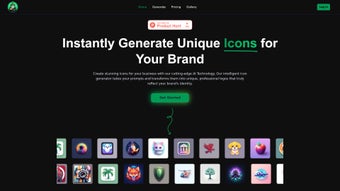

Download IconWizardAI – AI‑Powered Icon Generator, Free, Secure
Overview
IconWizardAI is a web‑based design tool that leverages cutting‑edge artificial intelligence to transform simple text prompts into polished icons and logos in a matter of seconds. Whether you are a startup founder looking for a distinctive brand mark, a developer who needs a complete set of UI icons, a marketer hunting for fresh visual assets, or even a hobbyist wanting to experiment with graphic creation, IconWizardAI removes the steep learning curve that traditional design software imposes. The platform’s streamlined four‑step workflow—enter a prompt, select colors and style, set the quantity, and receive AI‑crafted results—makes icon creation feel as effortless as ordering a coffee.
All assets are stored securely in the cloud, giving you the freedom to retrieve, edit, or download them at any time from any device. Over 1,100 active users ranging from novices to seasoned designers rely on the service daily, proving its ability to deliver high‑resolution, vector‑ready icons without any prior design expertise. Because it runs entirely in the browser, there is no need to install bulky software, and the free tier provides enough credits for small projects, while paid plans unlock higher‑resolution exports and batch generation capabilities.
In short, IconWizardAI offers a fast, affordable, and secure way to generate custom icons that match your brand identity, all without leaving your favorite browser. The combination of AI intelligence, cloud convenience, and a generous free offering makes it a compelling choice for anyone who values speed, quality, and flexibility in visual creation.
Core Features and Customization Options
- AI‑driven icon generation from natural‑language prompts.
- Extensive style library (flat, line, glyph, 3D, hand‑drawn).
- Color palette selector with HEX, RGB, and preset brand colors.
- Batch creation – generate up to 20 icons per request.
- High‑resolution SVG and PNG exports for web and print.
- Cloud‑based asset management with version history.
- Integration with popular design tools via API.
- Responsive UI optimized for desktop and mobile browsers.
- Free tier with daily credit limit; premium plans for unlimited use.
- Secure SSL connection and GDPR‑compliant data handling.
The feature set is deliberately designed to serve both casual users and professional designers. The AI engine has been trained on millions of icon datasets, allowing it to understand nuanced prompts such as “minimalist eco‑friendly shopping cart in teal” or “retro neon gaming controller with a glowing outline.” Users can instantly tweak the output by adjusting style sliders, swapping color schemes, or requesting variations, which the system generates in real time. The batch generation capability is especially valuable for developers who need a cohesive family of icons for an application UI—simply specify the number of icons and let the system produce a set with consistent visual language, saving countless hours of manual design work.
Export options include lossless SVG for scalability and PNG for quick mock‑ups, and premium members can download ultra‑high‑resolution PNGs up to 4K. For teams, the cloud library acts as a shared repository, ensuring every member works from the latest version and can roll back changes if needed. The built‑in API enables automation within CI/CD pipelines, letting developers pull freshly generated icons directly into their builds without manual intervention.
Together, these features provide a robust, end‑to‑end solution for icon creation that scales from single‑icon experiments to large‑scale design systems.
Installation, Usage & Compatibility
Getting Started – No Download Required
Because IconWizardAI is offered as a SaaS platform, there is no traditional installation process. Users simply navigate to iconwizardai.com, create a free account, and are greeted by a clean, modern dashboard. The onboarding wizard walks you through the four‑step creation flow: (1) type a description of the desired icon, (2) pick your preferred color palette, (3) select a style (flat, line, 3D, etc.), and (4) indicate how many variants you need.
Once submitted, the AI works in the background and typically returns results within 15–30 seconds, depending on server load. All generated assets appear in a preview grid where you can instantly download, favorite, or request further refinements. The platform also supports single‑sign‑on (SSO) for enterprise users, allowing seamless integration with Google Workspace or Microsoft Azure AD.
Browser & Operating System Support
IconWizardAI runs on any modern browser that supports HTML5, CSS3, and WebGL, including Chrome, Firefox, Safari, Edge, and Opera. Because the service is cloud‑based, it works equally well on Windows, macOS, Linux desktops, as well as Android and iOS mobile devices. The responsive layout automatically adapts to touch input, enabling you to generate icons on a tablet or smartphone without any loss of functionality. For power users who prefer a desktop‑like experience on a mobile device, the “Desktop Mode” toggle expands the UI to full‑screen, providing additional toolbars and keyboard shortcuts.
Advanced Usage Tips
Power users can take advantage of the “Prompt Enhancer” tool, which suggests synonyms and style modifiers to refine AI output, and the “Batch Scheduler” that queues multiple generation jobs to run overnight. For teams, the “Project Workspace” lets you organize icons into folders, assign tags, and share read‑only links with stakeholders for feedback. Premium subscribers also receive a priority queue, reducing generation time during peak traffic, and can set up webhooks to automatically receive newly generated assets in a designated cloud storage bucket (e.g., AWS S3 or Google Drive). Export settings can be saved as presets, enabling one‑click downloads of the exact file format and resolution you need for each project, and the built‑in “Version History” allows you to revert to any previous iteration with a single click. These advanced features make IconWizardAI not just a simple icon generator but a full‑featured asset management hub for designers and development teams alike.
Pros and Cons
Pros
- Fast AI generation – icons appear in seconds.
- No design skills required; intuitive four‑step workflow.
- Cross‑platform accessibility via any web browser.
- High‑quality SVG exports suitable for print and UI design.
- Free tier available with generous daily credits.
- Secure cloud storage and GDPR compliance.
- Batch creation and API integration streamline team workflows.
- Prompt enhancer and style library reduce trial‑and‑error time.
Cons
- Limited offline capability – requires an internet connection.
- Advanced style fine‑tuning may need multiple iterations.
- Premium pricing for unlimited high‑resolution downloads.
- API access is only available on higher‑tier plans.
- Learning curve for power‑user features like webhooks and batch scheduling.
FAQ and Final Verdict
Frequently Asked Questions
Can I use the generated icons for commercial projects?
Yes. All icons created with IconWizardAI come with a commercial license, allowing you to use them in branding, apps, websites, and printed materials without additional fees.
Do I need to install any plugins or extensions?
No. The service runs entirely in the browser, so there is nothing to install. Just sign in and start creating.
What file formats are available for download?
Both SVG (vector) and PNG (raster) formats are offered. Premium users can also download high‑resolution PNGs up to 4K.
Is there a limit to how many icons I can generate per day on the free plan?
The free tier provides 20 credits per day, each credit allowing one icon batch (up to 5 icons). Upgrading removes this limitation.
How secure is my data and the icons I create?
IconWizardAI uses HTTPS encryption for all data transfers and stores assets on GDPR‑compliant servers. Users can delete projects permanently at any time.
Conclusion & Call to Action
Overall, IconWizardAI stands out as a fast, secure, and user‑friendly solution for anyone who needs high‑quality icons without hiring a designer or mastering complex software. Its AI engine delivers impressive results, the cloud‑based workflow ensures you can work from any device, and the free tier makes it accessible to hobbyists and small businesses alike. While the reliance on an internet connection and the occasional need for iteration are minor drawbacks, the benefits far outweigh these limitations. If you’re looking to streamline your visual branding or accelerate UI development, give IconWizardAI a try today. Download IconWizardAI now and start generating stunning icons in seconds.



.png)



